


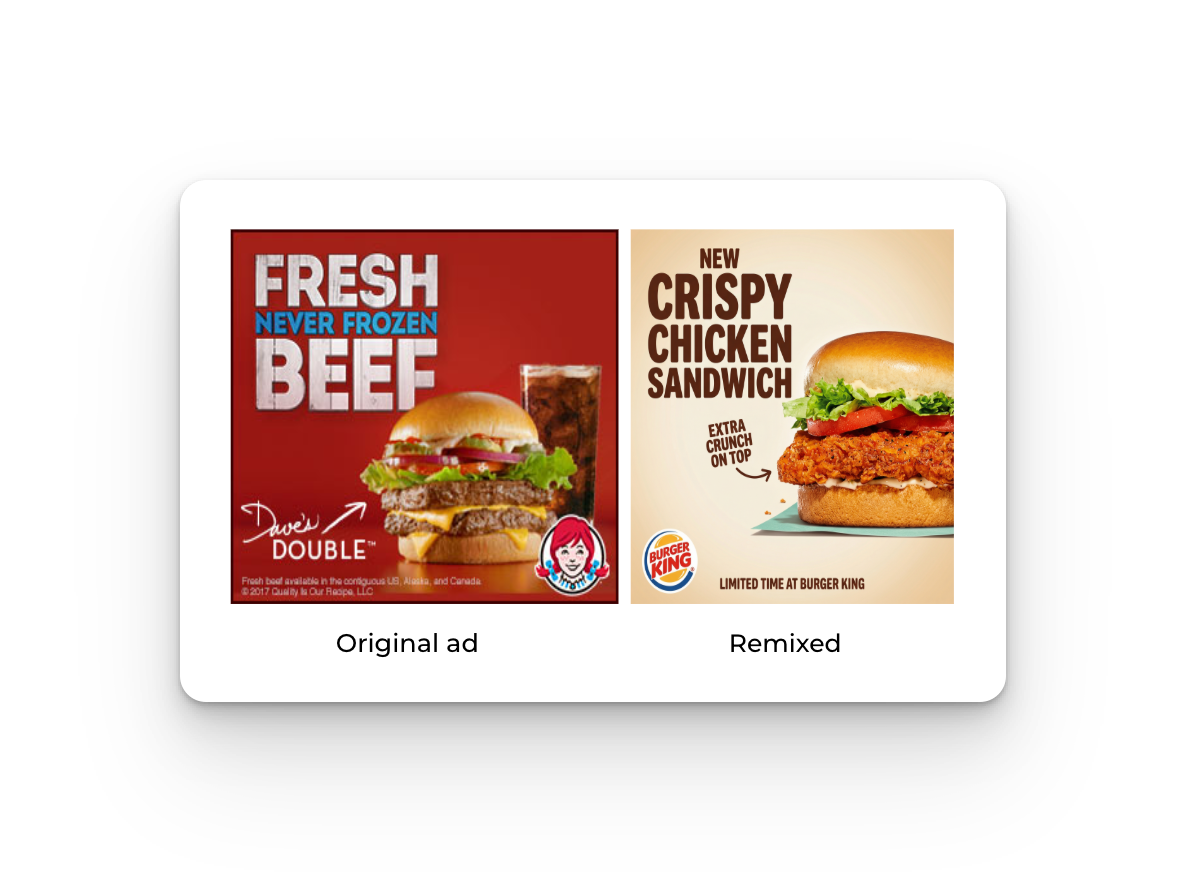
Start with inspiration, not blank pages. Horizon gives you access to 10,000+ ads from top brands, one-click remix to generate on-brand variations, and team collaboration features.
Discover: 10,000+ Real Ads from Top Brands
What It Does
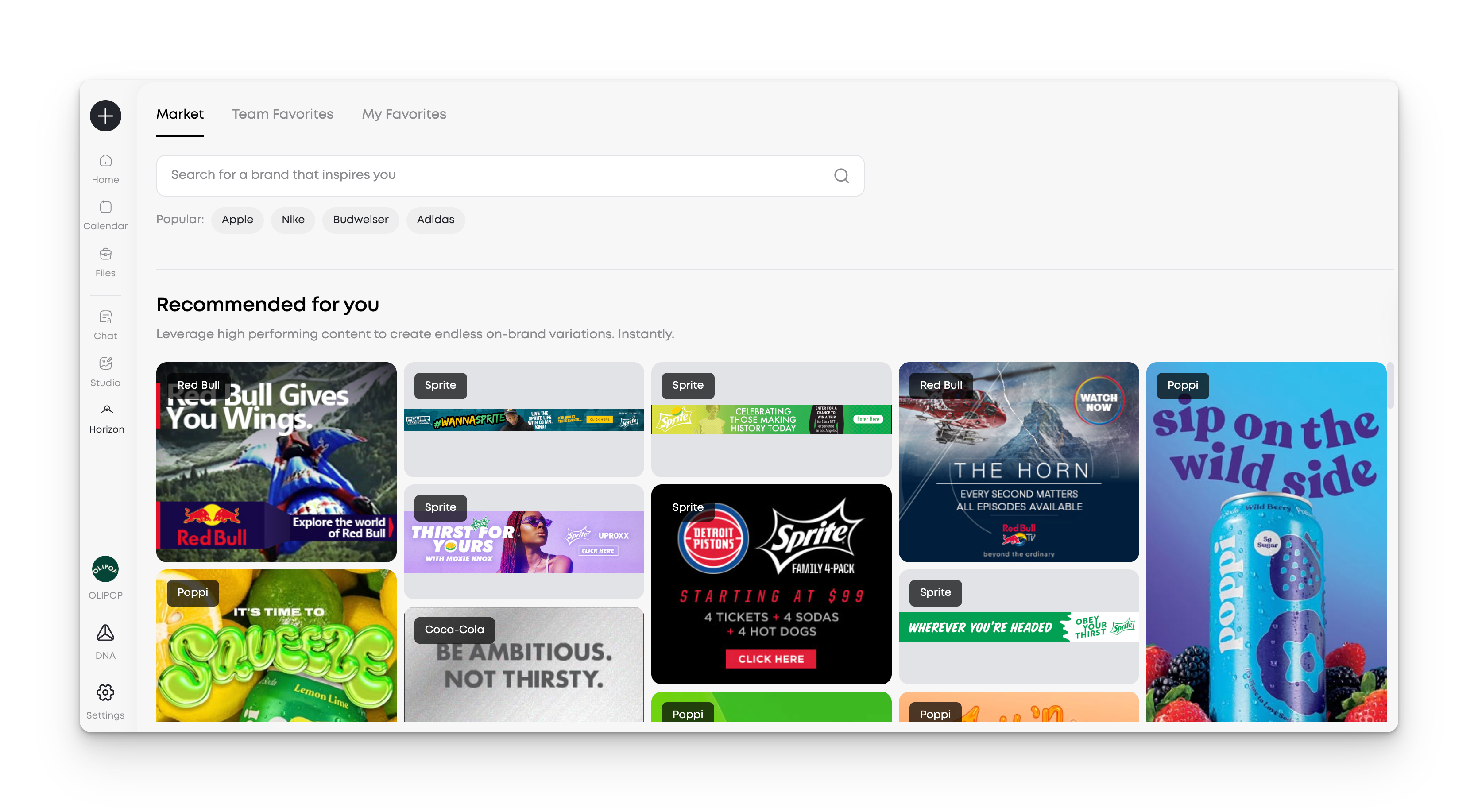
Horizon indexes creatives from brands like Nike, Apple, Starbucks, Glossier, and Patagonia. When you first open Horizon, the gallery surfaces ads relevant to your industry. You can also search any brand by name to see specific brands. The database updates regularly with fresh work across industries.
Why It Matters
- Access real creatives from top brands with proven track results
- Search specific brands when concepting for similar verticals
- Skip hours of manual research across websites and social channels
- Identify visual directions before investing in production
How to Use It
- Click the Horizon icon in the left hand menu
- Use search for specific brands (e.g., "Patagonia")
Remix: One-Click Transformation
What It Does
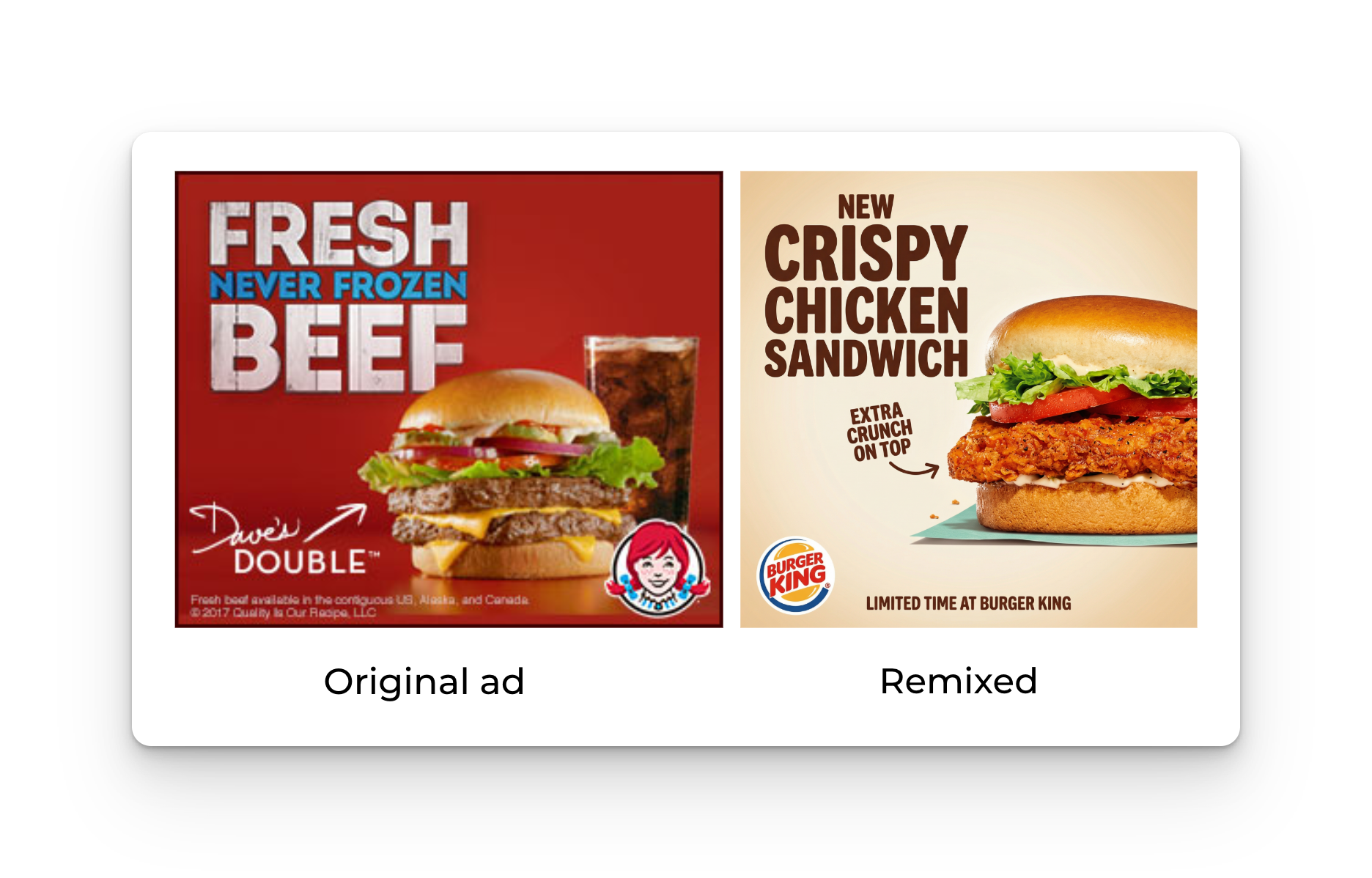
Click "Remix This Ad" on any ad in Horizon. The system analyzes composition, creative quality, color theory, layout structure, and messaging architecture. It generates multiple on-brand variations using your brand assets (colors, fonts, logo, product images) automatically. It is very important to note that this does not copy the original ad. It isn’t a template. It first understands the original high performing ad and then creates a new ad personalized for your brand.
Why It Matters
- Generate dozens of creative directions to test in minutes
- Improve your advertising performance while applying your brand identity
- Reduce dependency on external agencies for concepting
Best Practice
- Find an ad that you like
- Click "Remix This Ad". Add any additional direction you want Studio to consider.
- Review and download the variations
Learn: Team Favorites
What It Does
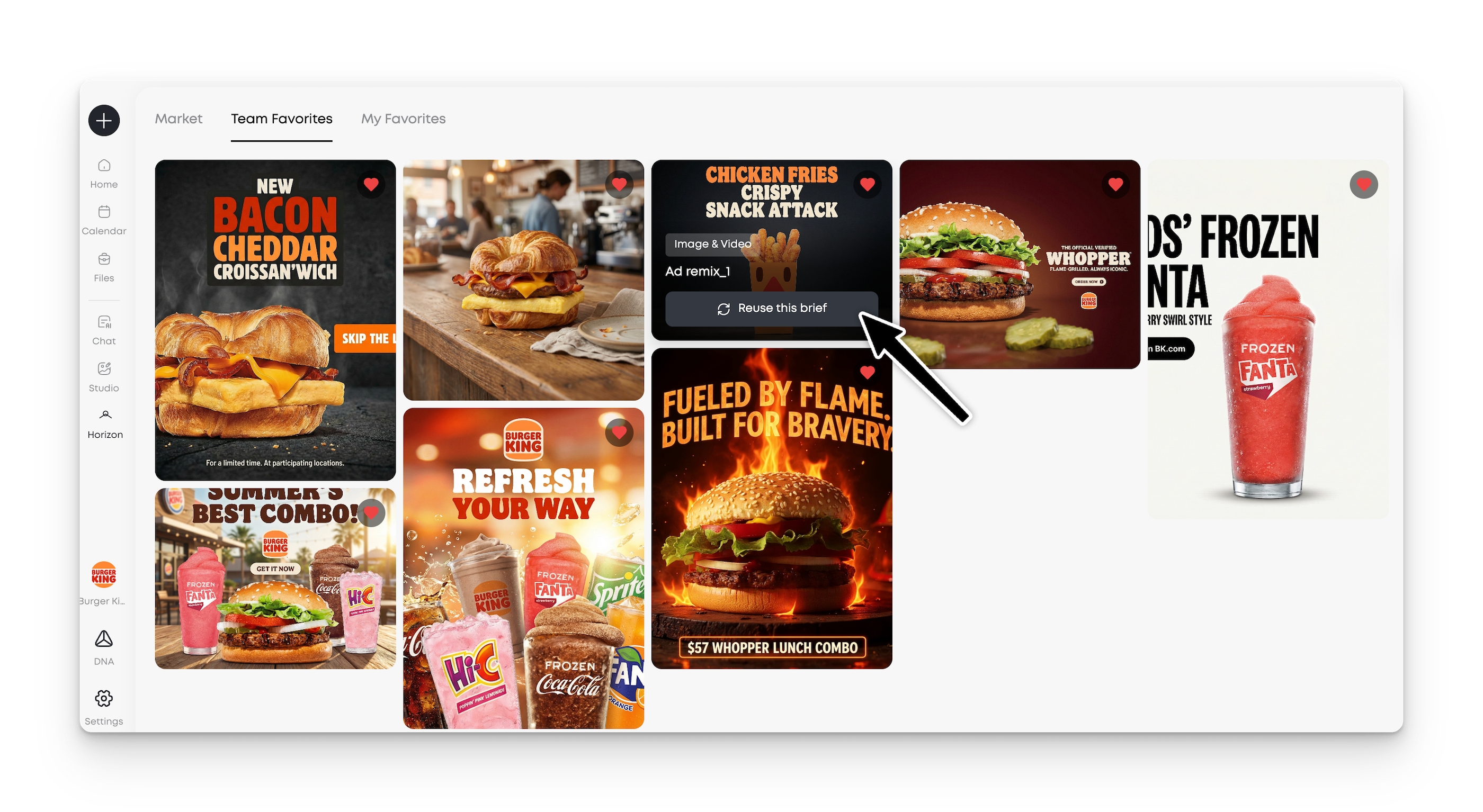
Horizon surfaces the best work from your teammates and allows you to leverage their briefs and settings. Just hover over any team favorite to reuse the brief that created it. This creates a shared reference library across your marketing team.
Why It Matters
- Build institutional knowledge of what works for your brand
- Reuse successful briefs from previous campaigns
- Reduce duplicated research across team members
How It Works
- Navigate to the "Our Team" tab in Horizon
- Browse recent saves and remixes from your colleagues
- Hover over a favorite and select Reuse this brief for your own creation
Save: Personal Collection
What It Does
Build a personal library of saved creations in MorningAI. Access your collection anytime to revisit inspiration or reuse briefs for new creatives.
[Image: User's personal collection view showing organized grid of saved ads with export and remix options]
Why It Matters
- Maintain a swipe file without manual screenshot management
- Quickly access proven reference points when briefing new work
- Any saved items will automatically be shared with your team
How to Use It
- Click the heart icon on any images created in Studio
- Access your collection via the "My Collection" tab in Horizon
- Click any saved image to reuse the brief
Available now in MorningAI. Access Horizon from your dashboard.
Written by:
Erin Sublette
Technical Project Manager
Erin Sublette is a Technical Project Manager at MorningAI and a skilled SaaS marketing copywriter, creating compelling content that drives marketing technology solutions.



Start Today
Start your free 14 days trial!
Access advanced AI features to create content for your brand and
easily collaborate with your agency partners and freelancers.
Start Your FREE Trialeasily collaborate with your agency partners and freelancers.


