

We've reduced generation time by 50% and rebuilt layout selection with visual previews and batch generation. These updates support high-volume concepting and reduce iteration cycles when you're developing creative direction.
Visual Layout Library
Layout selection now includes previews and detailed descriptions before you generate. Each layout shows example outputs and includes specific use case guidance.
What changed:
- Named layouts with clear use cases (Hero Shot, Flash Sale, Customer Testimonial, Product Showcase, etc.)
- Animated previews on hover showing 3-4 example outputs
- Expandable detail panels with best practice recommendations
- Batch generation options: generate 3, 4, 5, or 6 variations per prompt simultaneously
How to use it:
- Select your layout based on the campaign objective
- Click to expand the detail panel and review best practices
- Choose how many variations you want (3-6)
- Add to the brief and write your prompt
- Generate all variations simultaneously
The result: Less trial and error in layout selection, fewer wasted outputs that don't match your campaign needs.
Reference Images + Visual Styles: In All Workflows
You can now add reference images and select any visual style in all workflows in Studio.
What this enables:
- Upload any image you want to recreate while selecting your brand’s visual style or any standard style
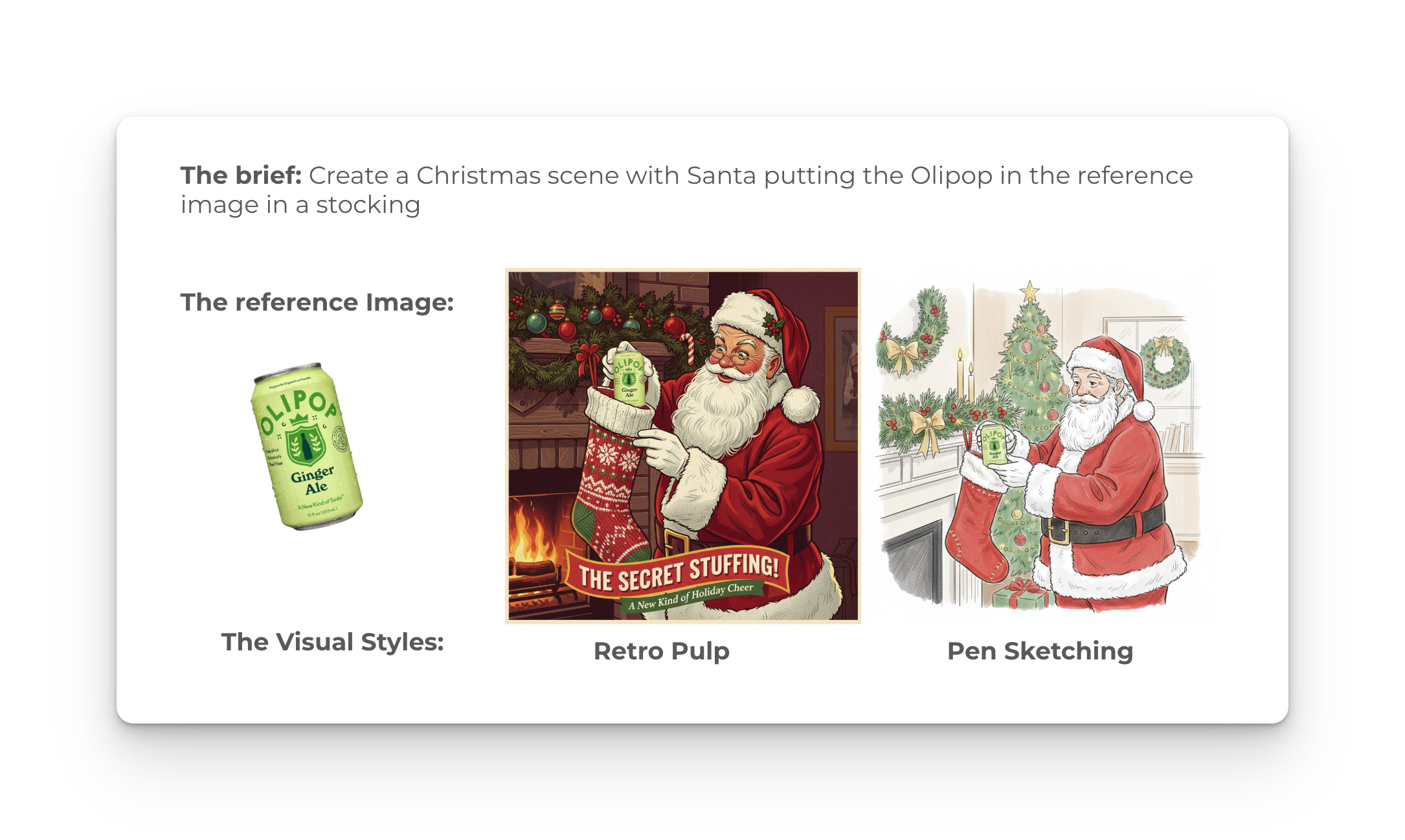
Example workflow:
- Write a brief and upload a reference image (e.g., your product shot)
- Choose a visual style (e.g., "Pen Sketch" or "Watercolor")
- Generate. The output combines your reference image with the visual style you selected
The utility: You no longer have to choose between using your brand styles and leveraging reference images for concepts. Both work together in Studio.
Feedback System: Like/Dislike for Model Training
You can now mark outputs as favorites (heart) or flag poor results (dislike). This data trains our models and organizes your files.
The mechanics:
- Hearted images automatically appear in your Favorites folder for quick access
- Dislikes signal the model to avoid similar outputs in future generations
- Both actions feed into model training to improve results over time for your account
Best practice: Be deliberate with dislikes. They're most useful for consistent errors, like a specific product angle that never renders correctly or a composition that repeatedly misses your brand guidelines. Less useful for one-off generation issues.
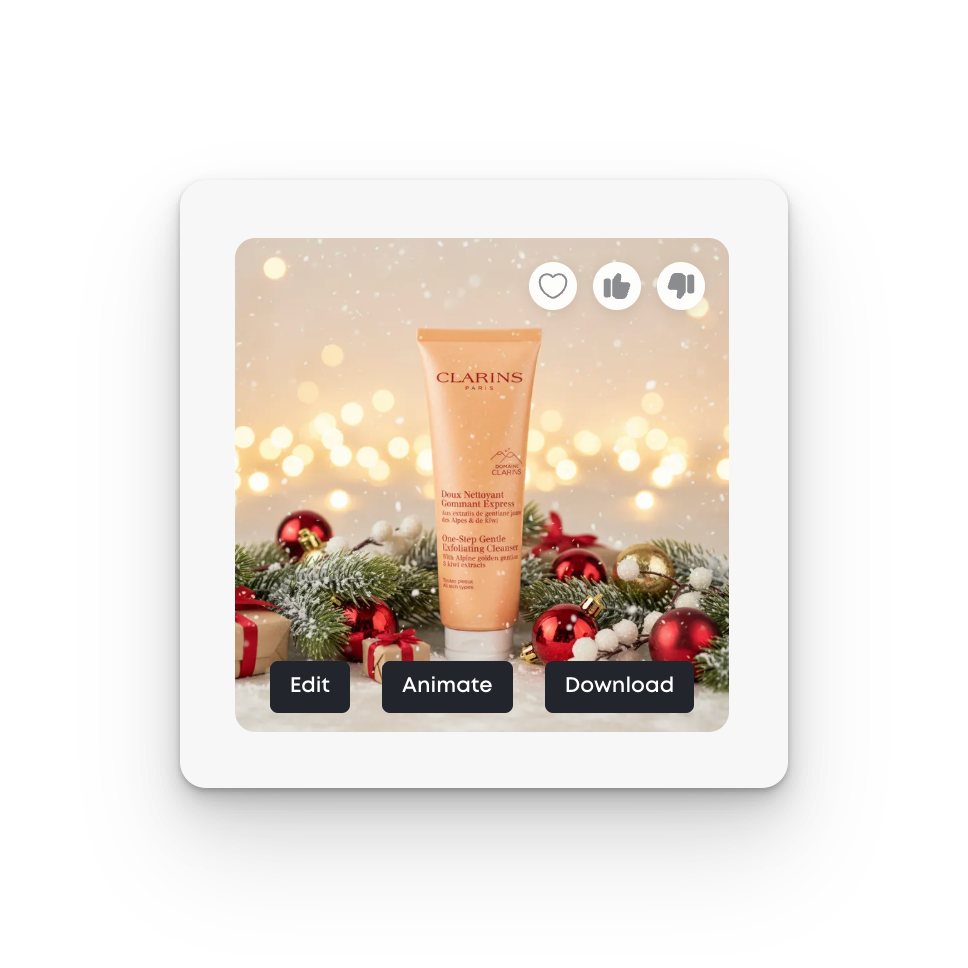
The workflow benefit: Heart images as you generate, then batch-export your favorites when you're ready to move to final production or client review.
Faster Generation Speeds
We've cut image generation time in half across Studio. Base model generations content in approximately 30 seconds.
What this enables:
- Generate approximately 100 images per minute during concepting phases
- Run high-volume A/B tests during creative development
- Faster iteration on visual direction before committing to final assets
- More efficient concepting sessions with clients or internal teams
The impact: Speed matters most during early creative phases when you're testing multiple directions. Faster generation means you can explore more options in the same time window.
Brief Enhancement
Brief enhancement automatically expands simple text prompts with technical parameters that improve output quality. Toggle it on before generation.
What it adds:
- Composition and framing suggestions
- Lighting and atmosphere details
- Style consistency parameters
- Technical specifications that improve model performance
When to use it:
- You know what you want visually but don't want to write detailed technical prompts
- You're onboarding team members less familiar with generative AI prompt structure
- You're working quickly and want the system to handle technical optimization
When to skip it:
- You have specific technical requirements that auto-enhancement might override
- You're experienced with prompt engineering and prefer manual control
Coming Soon
More redesign in Studio coming soon. We'll be showing you more details for Customer Personas and Products, so the full workflow is seamless.
Written by:
Erin Sublette
Technical Project Manager
Erin Sublette is a Technical Project Manager at MorningAI and a skilled SaaS marketing copywriter, creating compelling content that drives marketing technology solutions.



Start Today
Start your free 14 days trial!
Access advanced AI features to create content for your brand and
easily collaborate with your agency partners and freelancers.
Start Your FREE Trialeasily collaborate with your agency partners and freelancers.


