

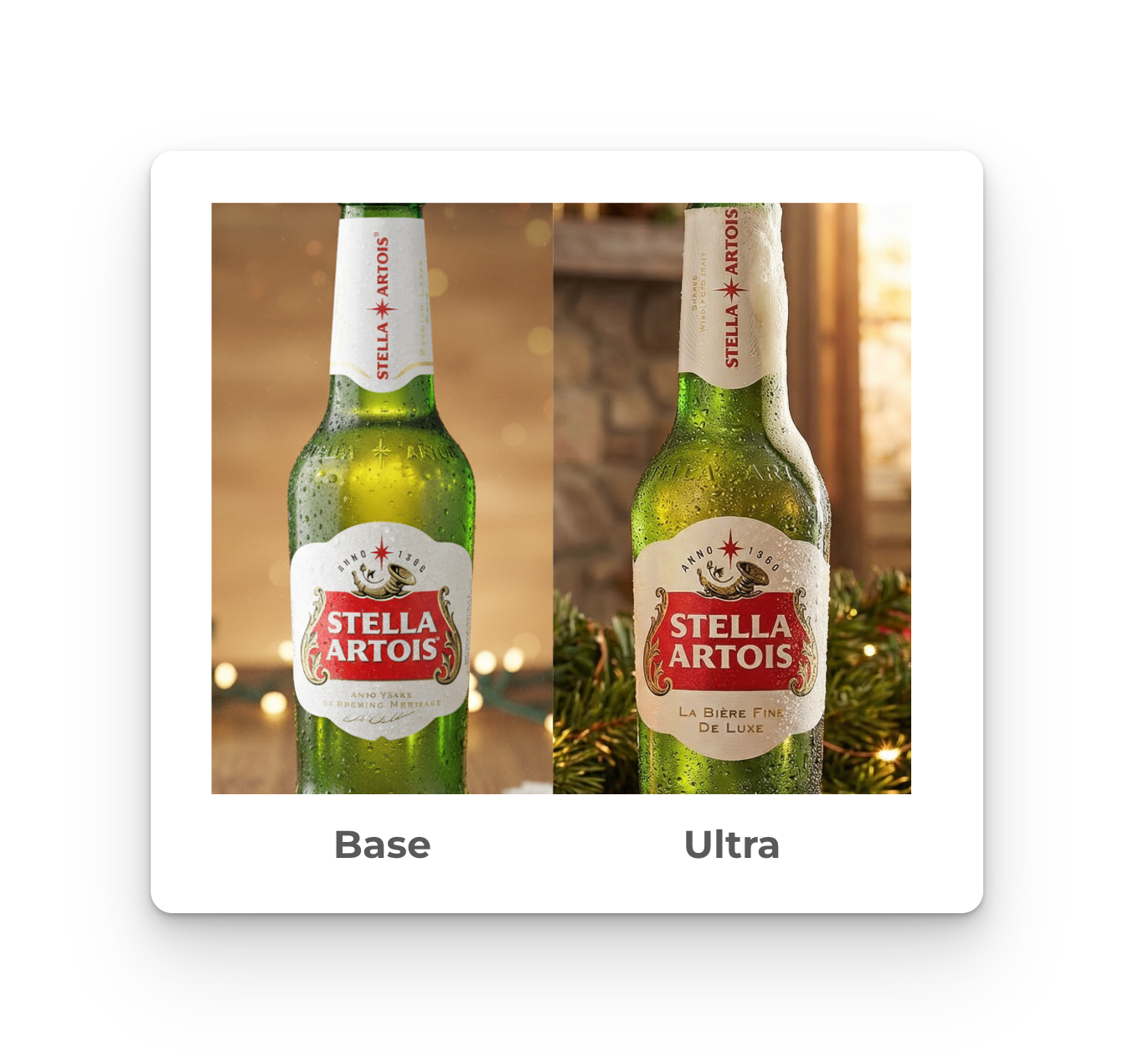
What Ultra Mode Does
Ultra mode is a higher-fidelity generation option that produces approximately 2x the output resolution of our base model. It significantly improves text rendering accuracy and handles complex compositions with multiple elements, products, logos, packaging details, and reference imagery.
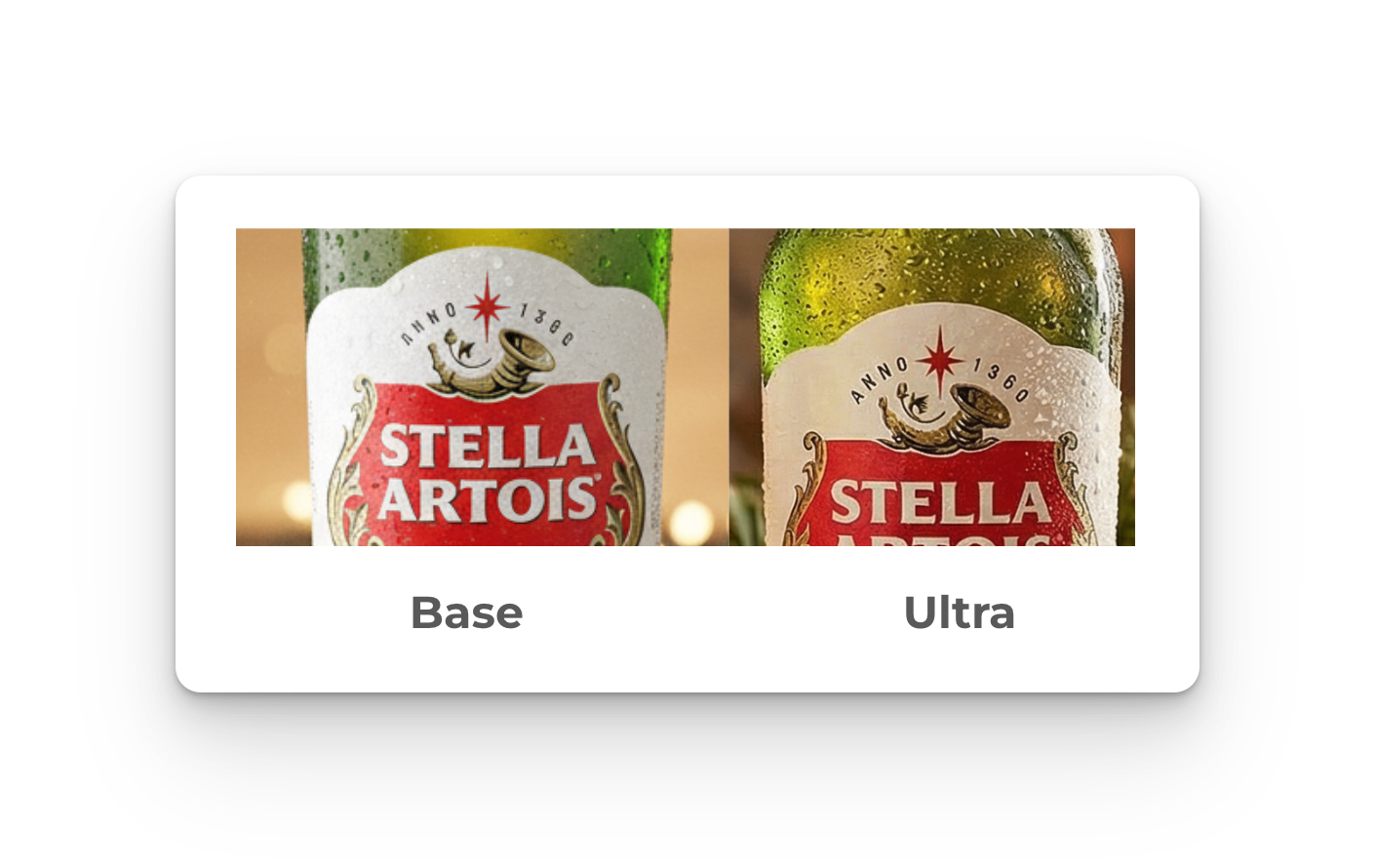
The technical difference:
- 2k resolution (4k coming later this month)
- Enhanced text rendering accuracy
- Better handling of multiple branded elements in single compositions
- Improved consistency across fine details and complex patterns
When to Use Ultra Mode
Ultra is designed for final asset production. It adds processing time and uses additional credits per generation.
Use Ultra for:
- Product packaging with nutritional labels, ingredient lists, or legal copy
- Assets containing small text that must be legible (product labels, pricing, calls-to-action)
- Complex layouts with multiple branded elements requiring consistency
- Any output destined for print or large-format display
- Final social assets where brand consistency and polish are critical
How to Use Ultra Mode
Suggested standard workflow to get the highest quality output:
- Run rapid concepting with base model to establish creative direction (generate 40 to 50 variations in less than five minutes)
- Select your preferred creative direction and copy the prompt.
- Toggle Ultra mode on
- Generate variations
- Review and edit as needed
Best Practices for text-heavy assets:
- Include exact text strings in your prompt when precision is required
- Be specific: "Established 1952" or "12 oz net weight" or "Organic Fair Trade Certified"
- Specify text placement if not included in your reference images: "certification badges in lower right corner"
- Generate multiple versions and select the most accurate
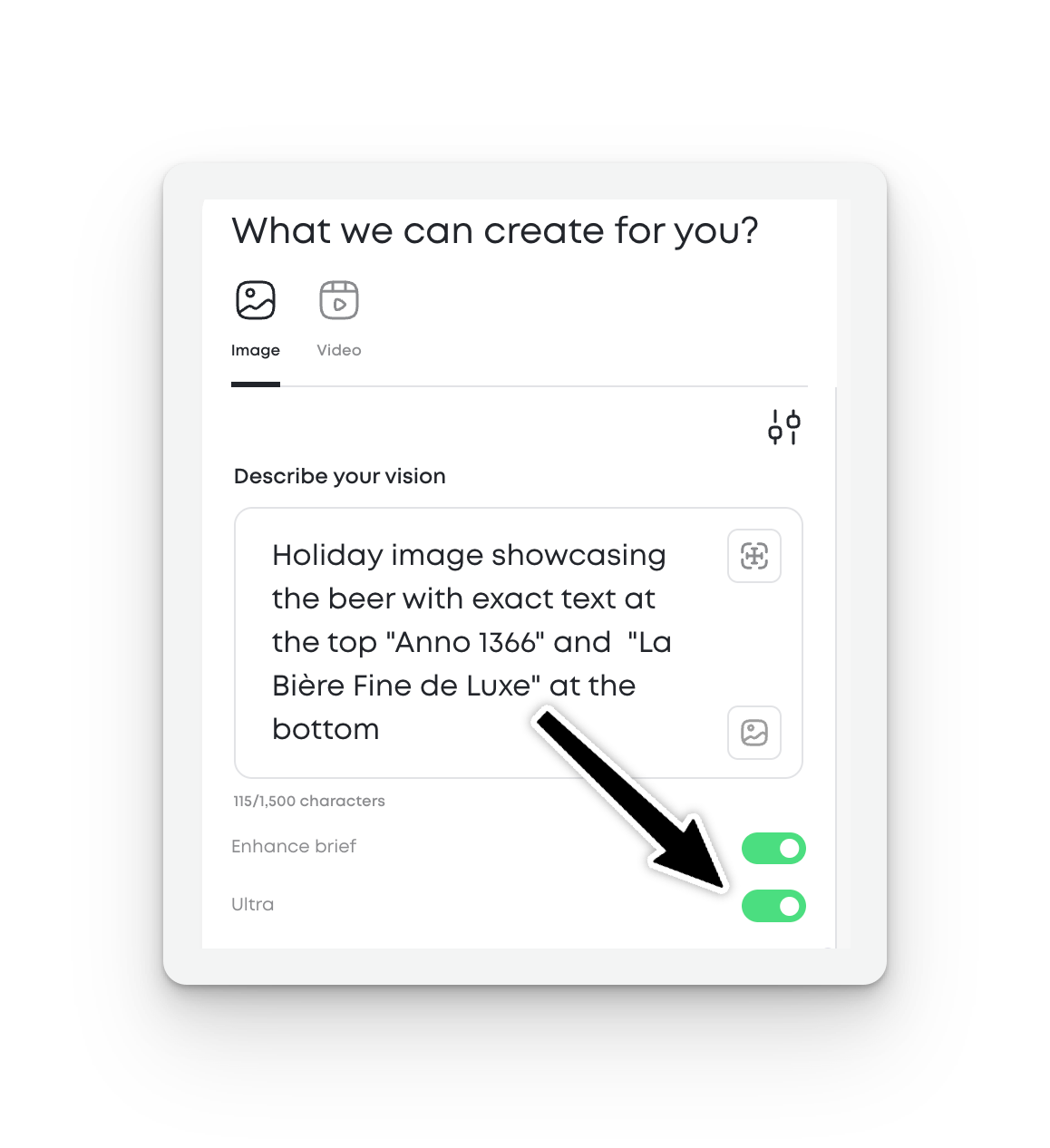
Best practice: Think of base model as your sketching phase and Ultra as your production phase.
What We Expect from Ultra (And What to Watch For)
Ultra significantly reduces text rendering errors, but it's not perfect. Expect to generate a few options before achieving pixel-perfect output, especially with:
- Text smaller than 12pt equivalent
- Text on curved or angled surfaces
- Complex logos with fine details
- Multiple text elements in a single composition
The model performs best when you provide explicit instructions about text content and placement.
Written by:
Erin Sublette
Technical Project Manager
Erin Sublette is a Technical Project Manager at MorningAI and a skilled SaaS marketing copywriter, creating compelling content that drives marketing technology solutions.



Start Today
Start your free 14 days trial!
Access advanced AI features to create content for your brand and
easily collaborate with your agency partners and freelancers.
Start Your FREE Trialeasily collaborate with your agency partners and freelancers.


