
Your product deserves better than stock photos and expensive photoshoots. Studio's product photography feature transforms your existing catalog into marketing-ready visuals that actually convert, no photographer required.
Why Studio Product Photography Works
Traditional product photography burns time and budget. Need seasonal shots? Schedule another shoot. Want to test different environments? More budget, more delays. Studio flips this model entirely.
Using your ProductDNA, Studio generates professional product images with customizable backgrounds in under five minutes. The result? Marketing teams that move at the speed of opportunity, not logistics.
How to Generate Product Photos in Studio
Step 1: Access Product Photography
Navigate to your main dashboard and select Product Photography, or go to Image and Video > Product Photography.
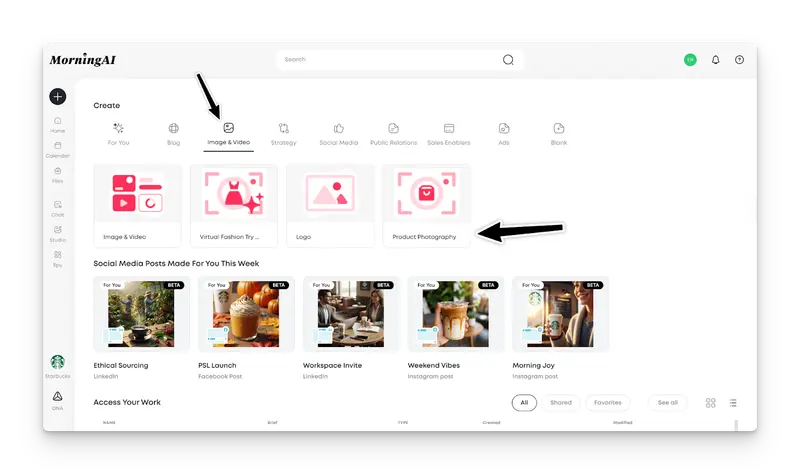
Step 2: Select Your Product
Choose any product from your existing catalog. If you need to add products first, head to your DNA section and upload them to your product library.

Step 3: Choose Your Scene Category
Studio provides multiple background categories for different marketing contexts:
Outdoor Scenes: Natural lighting and environments for lifestyle positioningStudio Backdrops: Clean, professional colored backgrounds for catalog shotsRetail Displays: Simulate in-store environments for trade presentationsSeasonal and Festive: Holiday and seasonal themes for campaign workIn-Home Tabletop: Kitchen, dining, and lifestyle settings for consumer connection

Step 4: Generate Your Options
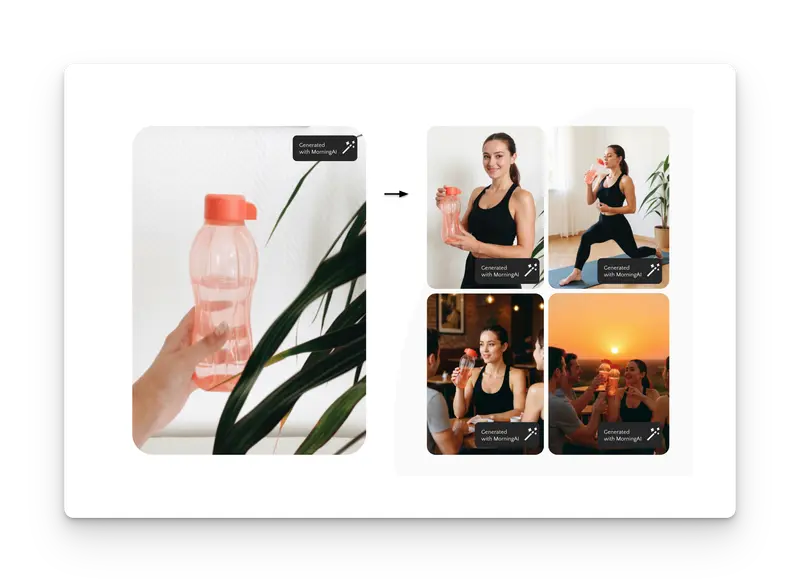
Select your preferred category and Studio generates four unique variations. Each image places your product naturally within the chosen environment with proper lighting and perspective.
Step 5: Customize with Prompts (Optional)
Need something specific? Use custom prompts like "holiday store display" or "autumn pumpkin patch setting" for tailored results.
Step 6: Edit and Refine
Use Studio's built-in editing tools to adjust placement, add text overlays, or incorporate additional design elements.
Real-World Applications
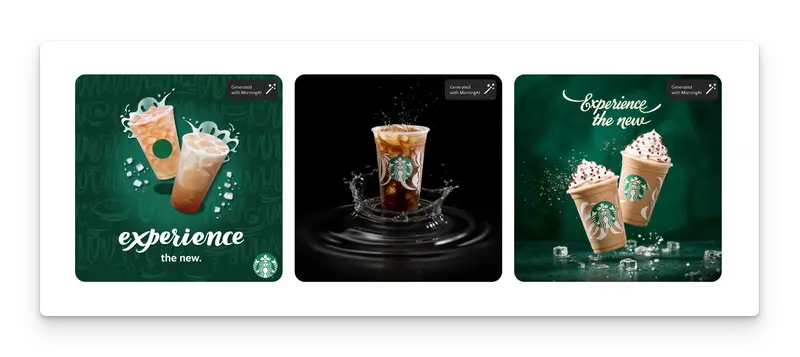
Seasonal Campaign Manager: A beverage brand needs Halloween-themed shots for October social campaigns. Instead of scheduling a three-week photoshoot, they generate 16 variations in one afternoon and launch on schedule.
E-commerce Director: A skincare company creates both clinical white backgrounds for Amazon listings and warm lifestyle shots for Instagram ads, all from the same product upload.
Retail Partnership Team: A CPG brand shows products in realistic grocery environments for buyer presentations without store permissions or photography crews.
Pro Tips for Better Results
Leverage Complete ProductDNA: The more detailed your product information in DNA, the more contextually appropriate your generated backgrounds become.
Test Unexpected Categories: A technical product might perform better in lifestyle settings than sterile studio shots, depending on your audience.
Batch Similar Products: Create images for product lines using the same background categories for visual consistency across campaigns.
Frequently Asked Questions
Can I use these images for paid advertising across platforms? Yes. Studio generates high-resolution images suitable for digital ads, print materials, and social media. Download in PNG or PDF format as needed.
What if my product doesn't look realistic in the generated background? Studio handles lighting, shadows, and perspective automatically. You can adjust product size and placement manually, or try different background categories for better results.
How many variations can I create from one product? There's no limit. Each background category generates four options, and custom prompts create additional variations. Most users find 8-12 variations sufficient for comprehensive testing.
Do I need design experience to use the editing features? No. Studio's editing tools use intuitive drag-and-drop interfaces designed for marketers, not designers.
Can I create images for products not in my DNA catalog? Yes. Not finding the product image you want, you can upload right from the Product Photography brief.
Start Creating Professional Product Photography
Ready to eliminate photography bottlenecks from your content workflow? Open Studio, select Product Photography, and turn your product catalog into a complete visual asset library.
The difference between teams that execute fast and teams that execute eventually comes down to removing friction from creative processes. Studio removes that friction.
