
How to Use Remix: Transform Competitor Ads into On-Brand Variations


Turn any ad from the world's top brands into dozens of customized variations for your brand in seconds. Remix analyzes composition, extracts what works, and generates high-fidelity alternatives using your brand assets.
Remix eliminates blank-page paralysis. Find an ad concept you like, click once, and generate multiple variations tailored to your brand. Each output uses your colors, fonts, logo, and products automatically.
How Remix Works
Remix analyzes the visual structure and messaging hierarchy of any ad in the Horizon library. The system identifies compositional elements (layout, text placement, visual flow) and extracts the underlying concept. It then reconstructs that concept using your brand guidelines.
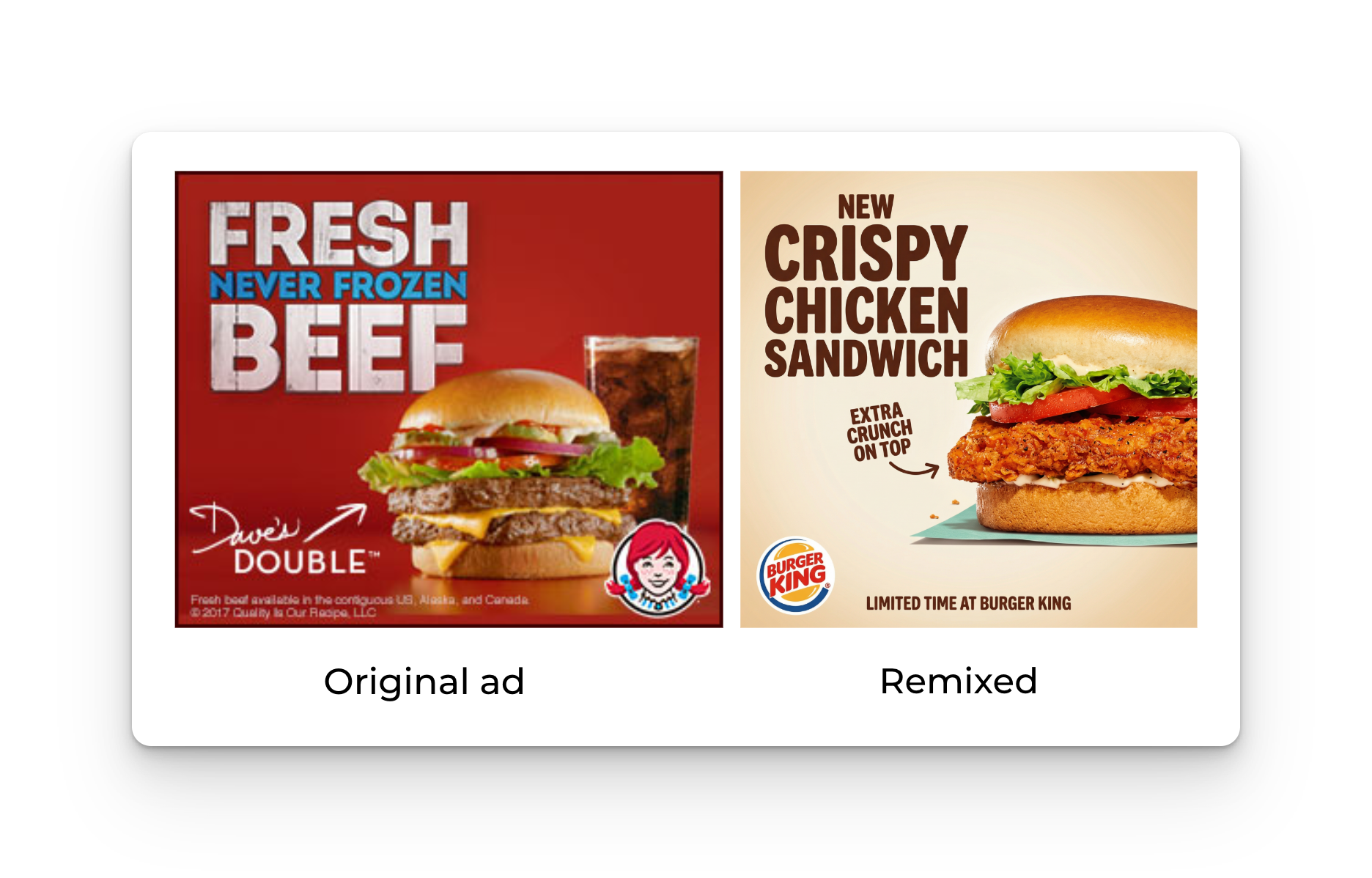
This process preserves the creative strategy while replacing every brand-specific element. You get professional-quality variations without starting from scratch.
Getting Started with Remix
Step 1: Browse the Discover Library
Navigate to Horizon's Discover section. Browse 10,000+ ads from brands like Apple, Starbucks, Glossier, and Patagonia. Use the search function to filter by industry, format, or campaign type.
Step 2: Select an Ad to Remix
When you find an ad that matches your creative direction, click into it. Review the composition and messaging structure to confirm it aligns with your campaign goals.
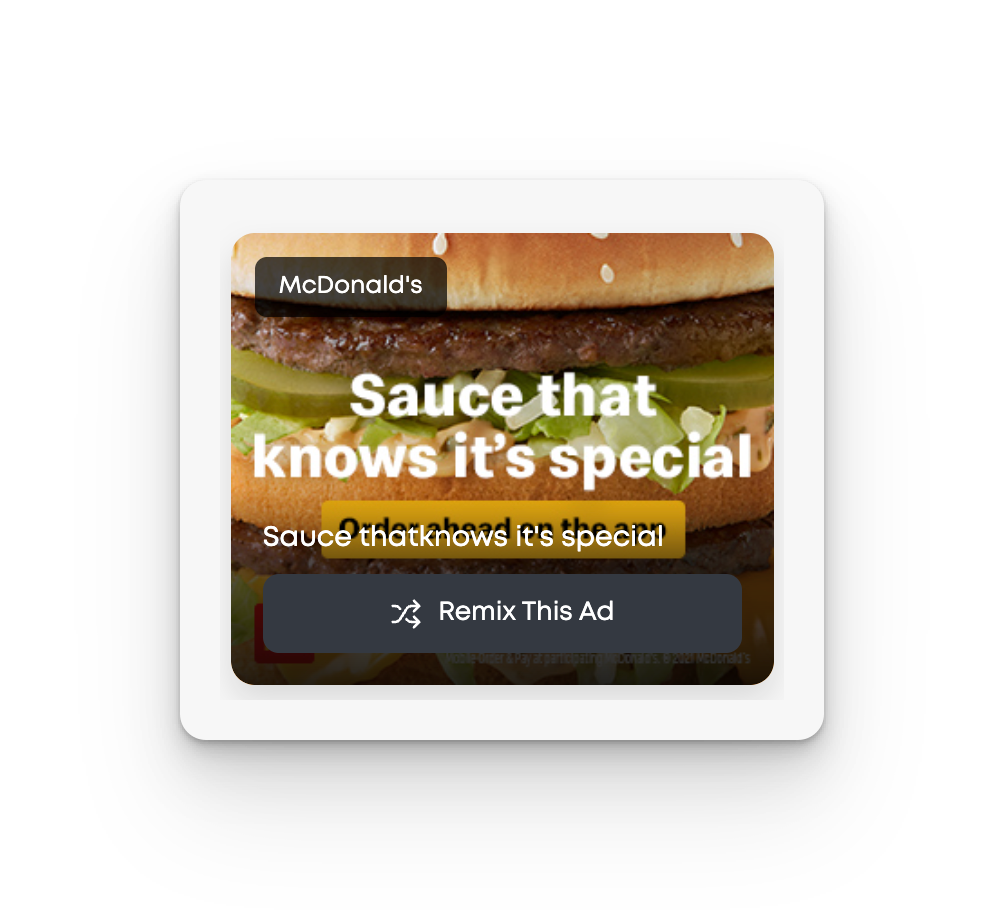
Step 3: Click "Remix This Ad"
The Remix button appears on every ad in the library. Click it to initiate the generation process. You’ll navigate to Studio where you can select your product from your ProductDNA and generate multiple creative designs.
Step 4: Review Generated Variations
Remix generates multiple variations right away. Each variation interprets the original concept differently while maintaining your brand identity. Scroll through the gallery to compare options.
Step 5: Generate More Variations
Not satisfied with the first batch? Click "Generate More" to produce an additional set. Remix creates new interpretations each time, giving you dozens of directions to evaluate.
Step 6: Export and Refine
Select your preferred variations and export the high-resolution files. Use these as starting points for final production or present them directly to stakeholders for feedback.
Use Cases for Remix
Campaign Concepting: When you need to explore multiple creative directions quickly, Remix lets you test 20-30 variations in the time it would take to sketch three concepts manually.
Competitive Analysis: Study how top brands approach specific product categories, then adapt their strategies for your own campaigns. Remix turns research into actionable creative.
A/B Testing Prep: Generate multiple variations of the same concept to identify which layout, messaging hierarchy, or visual approach resonates best with your audience.
Team Alignment: Present stakeholders with a range of polished options instead of rough mockups. Remix output quality is high enough to facilitate productive creative discussions.
Channel Adaptation: Take a successful concept from one format and quickly test how it translates to different aspect ratios or platforms.
Pro Tips
Layer Multiple Remixes: Run Remix on 3-4 different source ads, then compare the outputs. This approach often reveals unexpected creative directions you wouldn't have conceived from scratch.
Use Remix Early in Concepting: Generate variations before your first stakeholder meeting. Walking in with 15-20 polished options changes the conversation from "should we do this?" to "which of these should we refine?"
Combine with Team Favorites: Check the Team Favorites section to see content your colleagues are creating. If multiple team members gravitate toward similar concepts, those directions likely align with your brand positioning.
Iterate on Winners: Once you identify a strong direction, remix similar ads to explore that concept further. Depth beats breadth when you've found something that works.
FAQ
Does Remix work with my uploaded brand assets? Yes. Remix pulls from the brand assets you've configured in your Horizon account settings. Update your logo, color palette, fonts, and product images in Settings > Brand Assets to ensure all variations reflect your current guidelines.
Can I control which elements Remix changes? Currently, Remix applies a comprehensive transformation that replaces all brand-specific elements. You cannot lock individual components. This ensures conceptual consistency across the generated variations.
How does Remix handle text-heavy ads? Remix analyzes messaging hierarchy and text placement but does not automatically rewrite copy. Generated variations will maintain the original text structure. Focus on ads where the visual concept matters more than specific messaging.
Can I save Remix variations for later? Yes. Click the heart icon on any generated variation to add it to your personal collection in the Favorites section.
Does generating more variations use the same source ad? Yes. Each time you click "Generate More," Remix creates new interpretations of the original ad you selected. The system produces different variations each time by exploring alternative compositional approaches.
What if none of the variations match what I need? Try remixing a different source ad. Small differences in the original composition can lead to significantly different outputs. Alternatively, combine elements from multiple variations in your design software to create a hybrid direction.
Next Steps
Ready to try Remix? Start in the Discover section and find an ad that aligns with your current campaign. Navigate to Horizon in the left menu to start browsing for inspiration. For additional workflow optimization, explore the Learn section to see which ads your team is using most frequently.


