

How to Discover Market Trends in Horizon


Finding relevant creative inspiration starts with knowing where to look. Horizon's Discover feature gives you direct access to 10,000+ ads from top brands, searchable by name and browsable by category. This guide walks through how to find ads that match your creative goals and build a reference library for future campaigns.
Why This Matters
Effective concepting starts with market research. When you know what brands in your space (or adjacent categories) are running, you can identify patterns, spot trends, and find creative approaches worth testing. Horizon eliminates the manual work of tracking competitors across platforms by centralizing ad creative in one searchable interface.
How to Find Ads in Horizon
1. Navigate to Discover
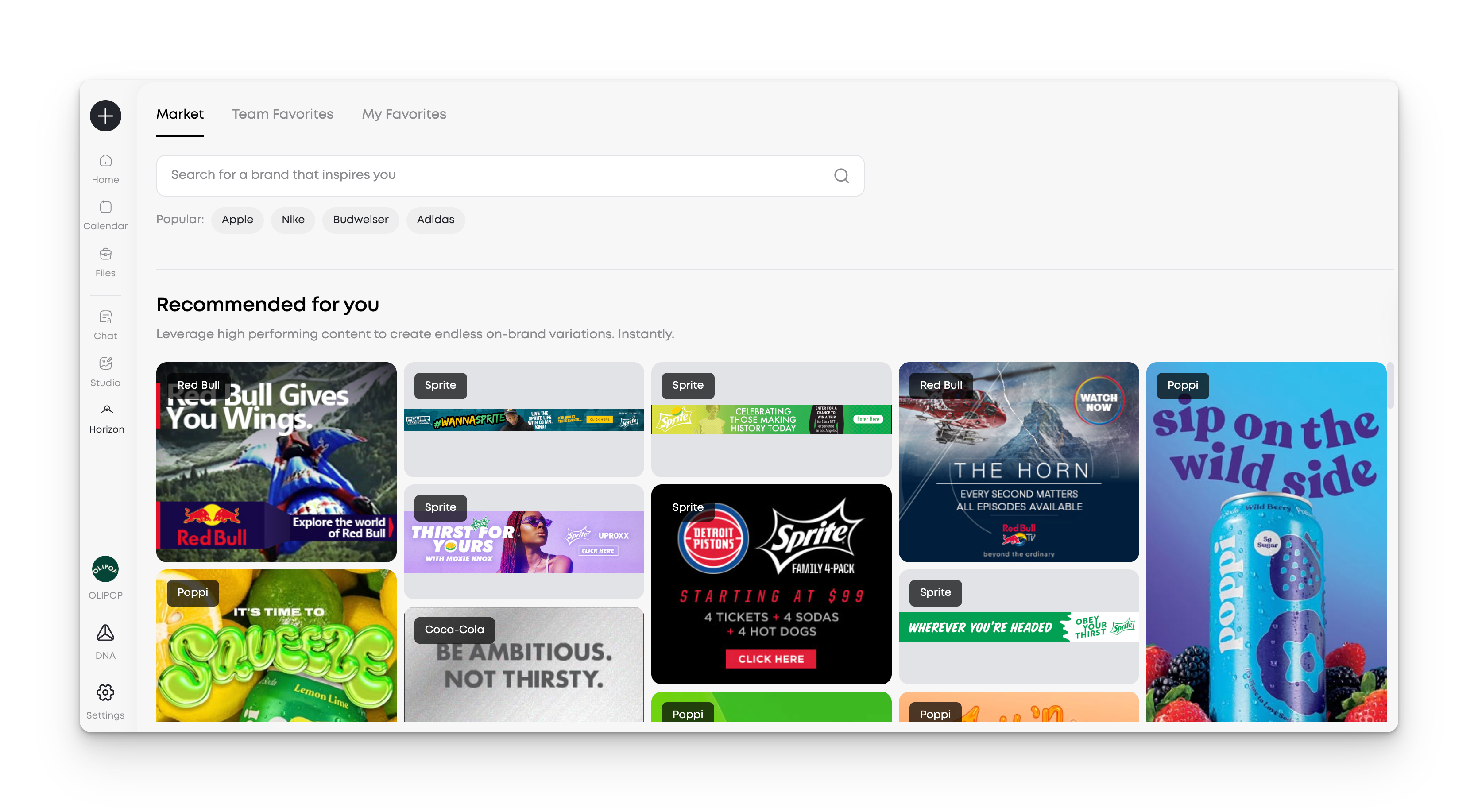
From the Horizon home screen, select "Discover the Market" from the main navigation.
The gallery loads with industry-relevant ads based on your account settings. You'll see current campaigns from brands across categories.
2. Search by Brand Name
Use the search bar to find ads from specific brands.
Enter a brand name (e.g., "Nike," "Glossier," "Patagonia"). The gallery filters to show only ads from that brand.
This is useful when you want to study a specific competitor's creative strategy or reference a brand known for strong work in a particular format.
3. Remix an Ad for Your Brand
Once you've found an ad you want to adapt, click "Remix Ad"
Horizon analyzes the composition and generates multiple on-brand variations using your brand's colors, fonts, products, and logo. You can generate additional variations with one click to explore more directions.
Use Cases
Competitive Analysis: Search for your top three competitors and review their recent campaigns. Look for repeated messaging themes, visual styles, or format preferences. Save standout examples to reference during strategy sessions.
Concepting Kickoff: Start campaign concepting by searching brands known for strong creative in your vertical. Remix 2-3 different approaches to generate multiple directions for internal review.
Onboarding New Team Members: Have new hires explore the Team Favorites section to see what content colleagues have created. This builds shared creative vocabulary and aligns the team on quality standards.
Pro Tips
Remix multiple brands for comparison: Search 2-3 different brands known for strong work in your vertical. Remix one ad from each to compare how different creative approaches adapt to your brand assets.
Generate variations to explore range: After remixing an ad, click to generate additional variations. This helps you see the full range of possibilities from a single creative concept before committing to a direction.
Use team favorites to align on quality: The Team Favorites section shows what your colleagues are remixing and saving. When multiple team members work from the same source ad, it builds shared creative vocabulary and ensures consistency across campaigns.
FAQ
How often is the ad library updated? The library is updated regularly with new campaigns from top brands. You'll see fresh creative appear as brands launch new work.
What happens when I remix an ad? Clicking "Remix Ad" analyzes the ad's composition and generates multiple variations using your brand assets (colors, fonts, logo, products). The variations maintain the original's structure while adapting all brand-specific elements. You can generate more variations with one click.
Can I see which team members saved a specific ad? The Team Favorites section shows ads that your colleagues have remixed and saved, but individual attribution isn't displayed. You can hover over any team favorite to reuse the brief that created it.
Next Steps
Start by searching a brand you admire in your category. Remix one of their ads to see how Horizon adapts it for your brand. Generate additional variations to explore different directions from the same concept.


